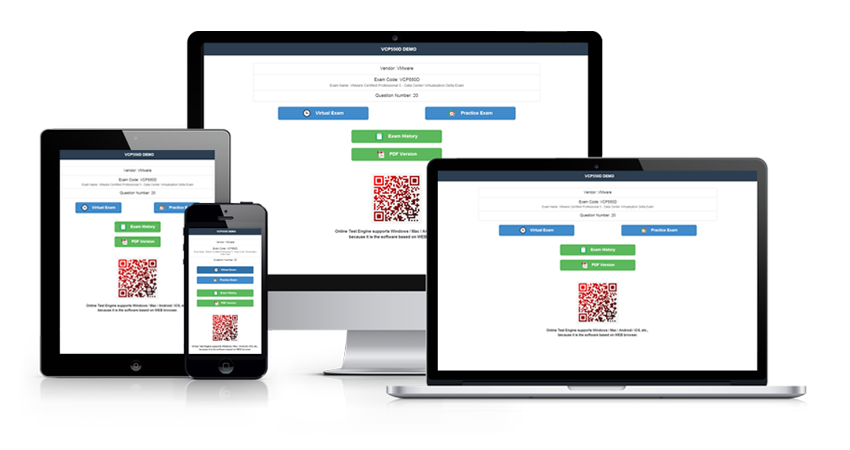
Try Before You Buy

Download a free sample of any of our exam questions and answers

  • 24/7 customer support, Secure shopping site
  • Free One year updates to match real exam scenarios
  • If you failed your exam after buying our products we will refund the full amount back to you.

Microsoft 77-729 still valid dumps - in .pdf Free Demo

  • Exam Code: 77-729
  • Exam Name: PowerPoint 2016 Core Presentation Design and Delivery Skills
  • Last Updated: Nov 17, 2026
  • Q & A: 0 Questions and Answers
  • Convenient, easy to study. Printable Microsoft 77-729 PDF Format. It is an electronic file format regardless of the operating system platform. 100% Money Back Guarantee.

Microsoft 77-729 still valid dumps - Testing Engine PC Screenshot

  • Exam Code: 77-729
  • Exam Name: PowerPoint 2016 Core Presentation Design and Delivery Skills
  • Last Updated: Nov 17, 2026
  • Q & A: 0 Questions and Answers
  • Uses the World Class 77-729 Testing Engine. Free updates for one year. Real 77-729 exam questions with answers. Install on multiple computers for self-paced, at-your-convenience training.

Microsoft 77-729 Value Pack (Frequently Bought Together)

If you purchase Microsoft 77-729 Value Pack, you will also own the free online test engine.

PDF Version + PC Test Engine + Online Test Engine

We are already working hard to make 77-729 exam material available to our valued customers. If you are interested in 77-729 exam material, provide us your email and we will notify you.

About Microsoft PowerPoint 2016 Core Presentation Design and Delivery Skills : 77-729 still valid exam

Candidates who pass the exam will receive a Microsoft Office Specialist (MOS) certification, which is recognized globally as a standard for measuring proficiency in Microsoft Office applications. PowerPoint 2016 Core Presentation Design and Delivery Skills certification will demonstrate that the candidate has the skills necessary to create and deliver effective presentations using PowerPoint 2016. PowerPoint 2016 Core Presentation Design and Delivery Skills certification will also provide validation of the candidate's knowledge and expertise in the field of presentation design and delivery.

Reference: https://docs.microsoft.com/en-us/learn/certifications/exams/77-729?wt.mc_id=learningredirect_certs-web-wwl

24/7 customer assisting

We offer 24/7 customer assisting to support you in case you may encounter some questions like login or downloading. So please feel free to contact us if you have any questions.

For most IT workers who want to pass valid 77-729 PowerPoint 2016 Core Presentation Design and Delivery Skills exam at first attempt, choosing a right certification training tool is very necessary and important. It maybe affects your career and future. As a certification exam dumps leader, our website will help you pass valid Microsoft PowerPoint 2016 Core Presentation Design and Delivery Skills exam in an effective and smart way. We have the most reliable 77-729 PowerPoint 2016 Core Presentation Design and Delivery Skills exam pdf for you to practice and latest PowerPoint 2016 Core Presentation Design and Delivery Skills practice exam for you review, which enable you pass test with high score. Our aim is to constantly provide the best quality products with the best customer service.

Free Download 77-729 Exam braindumps

After purchase, Instant Download: Upon successful payment, Our systems will automatically send the product you have purchased to your mailbox by email. (If not received within 12 hours, please contact us. Note: don't forget to check your spam.)

Our website provide the most reliable and accurate 77-729 PowerPoint 2016 Core Presentation Design and Delivery Skills exam pdf for candidates, which was written by our Microsoft IT experts who are specialized in the study of preparation of PowerPoint 2016 Core Presentation Design and Delivery Skills exam prep. They always analyze the current trends and requirement of valid PowerPoint 2016 Core Presentation Design and Delivery Skills exam to provide relevant and regularly updated 77-729 PowerPoint 2016 Core Presentation Design and Delivery Skills valid dumps for you. Our PowerPoint 2016 Core Presentation Design and Delivery Skills practice exam was designed to facilitate our customers in an efficient and effective way. What's more, we keep our customers known about the latest products of PowerPoint 2016 Core Presentation Design and Delivery Skills, that's why many returned customers keep to buy valid PowerPoint 2016 Core Presentation Design and Delivery Skills vce from us.

According to the feedback of our customers, our PowerPoint 2016 Core Presentation Design and Delivery Skills exam pdf has high pass rate because of its high accuracy and similarity of valid PowerPoint 2016 Core Presentation Design and Delivery Skills exam. If you prepare the PowerPoint 2016 Core Presentation Design and Delivery Skills practice exam carefully and remember questions and answers of 77-729 PowerPoint 2016 Core Presentation Design and Delivery Skills valid dumps, you will get a high score in the actual test.

Our service

One-year free update, you will be allowed to free update PowerPoint 2016 Core Presentation Design and Delivery Skills valid dumps one-year after you purchase. And once there is latest version released, we will send it to your email; you just need to check your mail box.

No help, full refund, we promise you to full refund if you failed the exam with our 77-729 PowerPoint 2016 Core Presentation Design and Delivery Skills exam pdf. And also you can choose to wait the updating or change to other dumps if you have other test.

The Microsoft 77-729 exam is divided into multiple sections, covering various aspects of PowerPoint 2016, including creating and managing presentations, formatting and modifying slides, inserting and formatting shapes, images, and media, and delivering presentations effectively. 77-729 exam is designed to test the user's proficiency in using the software and their ability to apply their knowledge and skills to real-world scenarios.

Microsoft 77-729 Exam Syllabus Topics:

SectionWeightObjectives
Topic 1: Create and Manage Presentations30-35%- Insert and format slides
  • 1. Configure headers and footers
  • 2. Add, remove, and hide slides
  • 3. Format slide backgrounds
- Configure and present a slide show
  • 1. Use presenter tools
  • 2. Deliver presentations
  • 3. Set up slide shows
- Create presentations
  • 1. Create a presentation from a template
  • 2. Create a new presentation
  • 3. Import Word document outlines
- Order and group slides
  • 1. Manage slide organization
  • 2. Create sections
  • 3. Reorder slides
- Change presentation options and views
  • 1. Change slide size
  • 2. Use presentation views
  • 3. Edit presentation properties
- Modify slides, handouts, and notes
  • 1. Configure notes pages
  • 2. Modify slide masters and layouts
  • 3. Configure handouts
- Configure a presentation for print
  • 1. Prepare handouts and notes
  • 2. Set print options
Topic 2: Manage Multiple Presentations5-10%- Merge content from multiple presentations
  • 1. Manage comments
  • 2. Compare and combine presentations
  • 3. Reuse slides
  • 4. Display multiple presentations
- Finalize presentations
  • 1. Protect presentations
  • 2. Inspect presentations
  • 3. Preserve presentation content
  • 4. Proof presentations
  • 5. Export presentations to other formats
Topic 3: Apply Transitions and Animations10-15%- Set timing for transitions and animations
  • 1. Configure transition timing
  • 2. Configure animation timing and sequence
- Animate slide content
  • 1. Apply animations
  • 2. Configure animation effects
  • 3. Use motion paths
- Apply slide transitions
  • 1. Modify transition effects
  • 2. Add transitions
Topic 4: Insert and Format Text, Shapes, and Images20-25%- Order and group objects
  • 1. Group and ungroup objects
  • 2. Arrange object order
  • 3. Align objects
- Insert and format images
  • 1. Format images
  • 2. Insert pictures
  • 3. Apply picture effects
- Insert and format shapes and text boxes
  • 1. Insert text containers
  • 2. Manage text boxes
  • 3. Format shapes and containers
- Insert and format text
  • 1. Format text
  • 2. Create WordArt
  • 3. Create columns
  • 4. Use bullets and numbering
  • 5. Insert text
  • 6. Insert hyperlinks
Topic 5: Insert Tables, Charts, SmartArt, and Media20-25%- Insert and manage media
  • 1. Embed video clips
  • 2. Edit media playback options
  • 3. Embed audio clips
- Insert and format SmartArt graphics
  • 1. Format SmartArt
  • 2. Create SmartArt graphics
  • 3. Modify SmartArt layouts
- Insert and format tables
  • 1. Create tables
  • 2. Format tables
  • 3. Import tables
  • 4. Modify table structure
- Insert and format charts
  • 1. Import charts
  • 2. Format chart elements
  • 3. Change chart types and layouts
  • 4. Create charts

What Clients Say About Us

LEAVE A REPLY

Your email address will not be published. Required fields are marked *

Quality and Value

ValidExam Practice Exams are written to the highest standards of technical accuracy, using only certified subject matter experts and published authors for development - no all vce.

Tested and Approved

We are committed to the process of vendor and third party approvals. We believe professionals and executives alike deserve the confidence of quality coverage these authorizations provide.

Easy to Pass

If you prepare for the exams using our ValidExam testing engine, It is easy to succeed for all certifications in the first attempt. You don't have to deal with all dumps or any free torrent / rapidshare all stuff.

Try Before Buy

ValidExam offers free demo of each product. You can check out the interface, question quality and usability of our practice exams before you decide to buy.